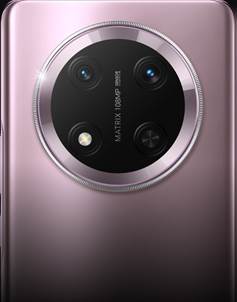
Smartphones now sit at the center of modern productivity. People plan projects, reply to clients, join meetings, pay bills, and even learn new skills from one pocket device. This constant connection increases speed but also adds more distractions. Social media, endless notifications, and casual games compete with focused work. The line between work and personal time blurs, especially when every alert feels urgent. At the same time, mobile apps, powerful hardware, and smarter operating systems give users professional tools wherever they go. Understanding how smartphones affect productivity helps people use them with intention, not on autopilot.
Smartphones in Daily Work and Life
Mobile-First Productivity Trends
Workflows now often start on mobile before reaching a laptop. Many professionals draft ideas in notes apps, record voice memos, or capture whiteboard photos for later. Remote teams coordinate through messaging platforms, where mobile notifications keep projects moving. Cloud storage syncs files across devices, so people review contracts or slides from their phones during travel. Even HR and finance tools offer full mobile dashboards. Short-form learning also fits mobile habits, with micro-courses, podcasts, and tutorials people consume during breaks. These trends show a clear shift: productivity no longer depends on desk time; it follows the person through their smartphone.
Everyday Tasks Managed on Smartphones
Daily routines lean heavily on smartphone tools. People set alarms, manage multiple calendars, and create shopping or packing lists. Banking apps handle transfers, bill payments, and budgeting categories. Travel apps store boarding passes, show gate changes, and suggest routes. Smart home controls adjust lights, temperature, and security systems. Camera and scanner apps digitize receipts and documents, cutting paper clutter. Note-taking apps combine text, photos, links, and checklists in one place. Even wellness tasks such as meditation, workouts, or water reminders run through mobile notifications. When organized well, these tools simplify life and free mental space for deeper work.
Benefits of Smartphones for Productivity
Faster Communication and Collaboration
Speed sits at the heart of smartphone-driven productivity. Teams no longer wait for email replies sent from office computers. Instead, they use messaging platforms, video calls, and voice notes from their phones. Sales staff share photos from client visits. Support agents escalate issues in real time. Managers approve budgets and leave requests with a quick tap. Group chats keep projects moving, while shared channels reduce long email chains. Video conferencing on mobile lets users join meetings from airports, taxis, or home. This immediate communication shortens feedback loops, prevents bottlenecks, and often leads to faster decision-making across organizations of any size.
Apps for Task and Time Management
Task and time management apps turn smartphones into portable command centers. To-do apps allow users to break projects into steps, set deadlines, and assign priorities. Calendar apps integrate with email and meeting tools, showing a clear view of the day. Time tracking apps reveal where hours actually go, which helps users cut wasteful activities. Focus apps block distracting websites or apps for set periods. Habit trackers reinforce small daily actions with reminders and progress visuals. Note-taking apps store meeting minutes, project outlines, and reference material in searchable form. When people combine these tools with realistic planning, their smartphones support more structured, intentional work.
Features That Boost Productivity
Performance, Battery, and AI Tools
Performance, battery capacity, and AI now define how productive a smartphone can be. A powerful CPU and GPU handle heavy apps, split-screen tasks, and high-resolution video calls with less lag. Large, bright OLED screens with high resolutions make reading, editing, and viewing data easier on the eyes. Long-lasting batteries support full workdays of calls, navigation, and online sessions. Fast wired and wireless charging minimize downtime. AI features categorize photos, transcribe audio, and predict next actions, which removes repetitive steps. Devices that combine these strengths let users rely on their phones as serious tools rather than backup options.
Example: HONOR Magic8 Pro for Efficiency
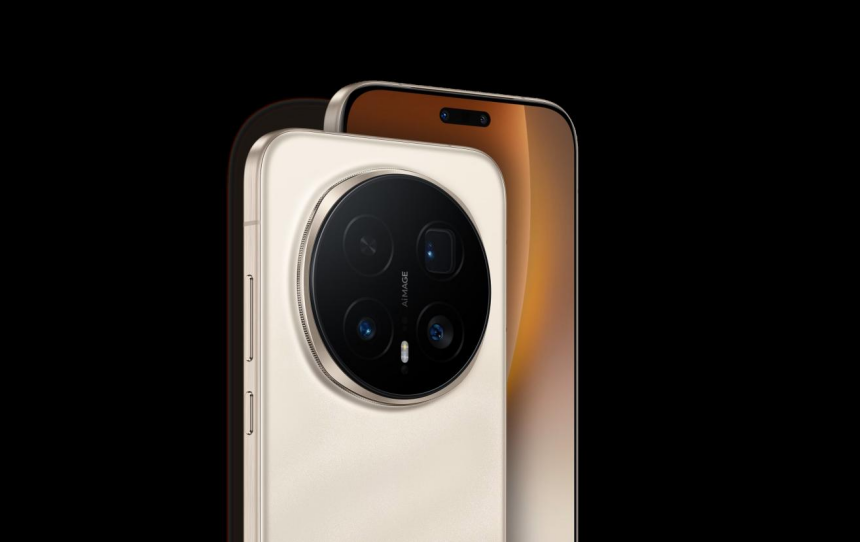
The HONOR Magic8 Pro shows how hardware supports productivity. Its slim 8.32 mm body and about 219 g weight, paired with a 6.71‑inch OLED FHD+ display, make reading documents and emails comfortable on the go. The Snapdragon 8 Elite Gen 5 octa-core processor and Adreno 840 GPU handle multitasking smoothly. MagicOS 10 (based on Android 16) and up to 16GB RAM plus HONOR Ram Turbo allow fast switching between work apps. Massive 7100 mAh battery capacity, 100W wired SuperCharge, and 80W wireless SuperCharge keep the phone ready for long days. Users can work, scan, and collaborate without stressing about power.

Conclusion
Smartphones can significantly enhance or damage productivity, depending on how people use them. Strong performance, long battery life, and AI-powered tools help users move work beyond the desk and act quickly wherever they are. Devices like the HONOR Magic8 Pro add stable power, large storage, and a bright display that supports heavy multitasking and content creation. Yet technology alone is not enough. Users need clear boundaries, focused work sessions, and healthy notification habits. When people combine capable smartphones with intentional workflows, they gain more control over their time and turn constant connectivity into a real productivity advantage.